The Homelab That Finally Runs
Two years of good intentions
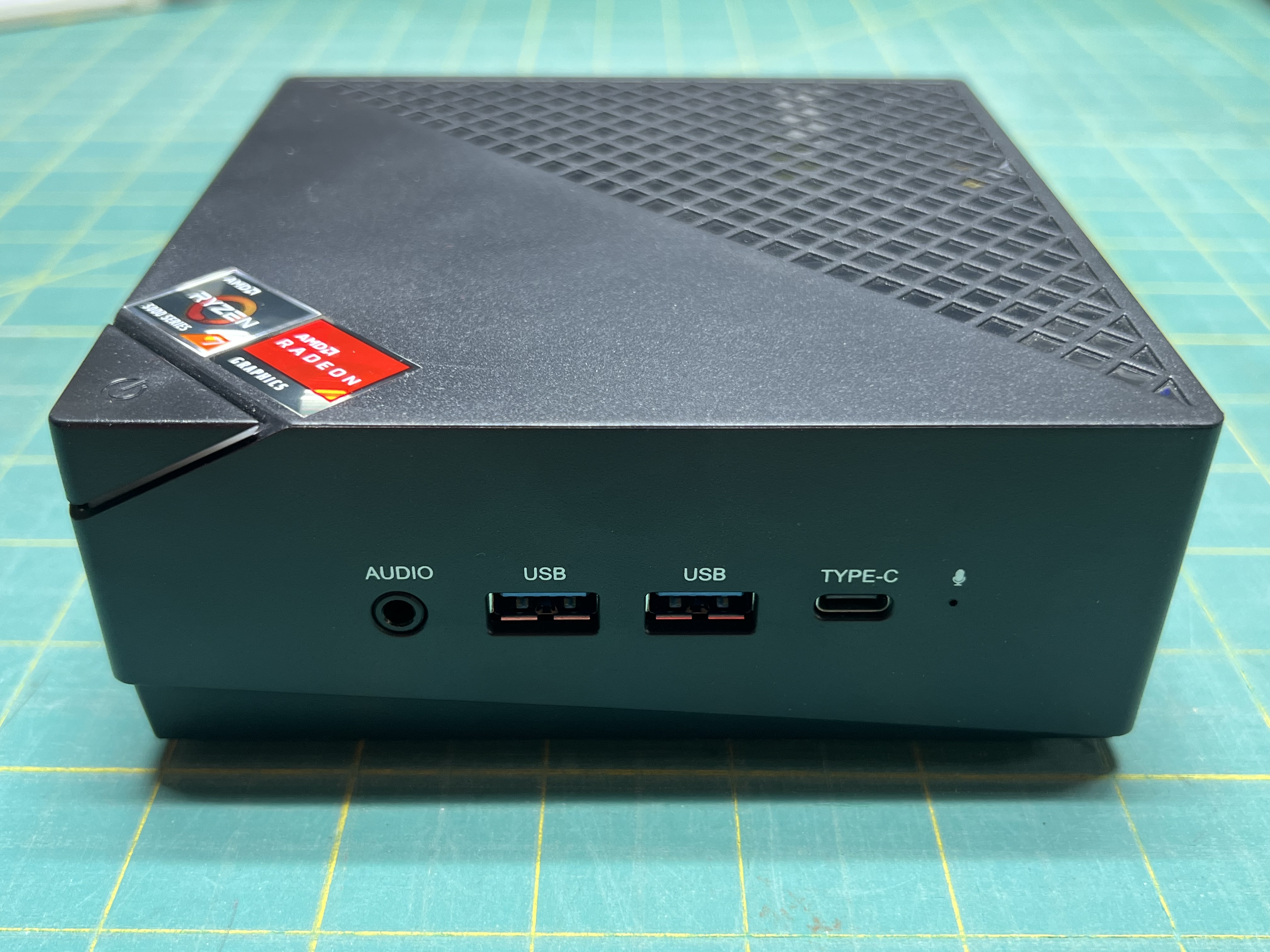
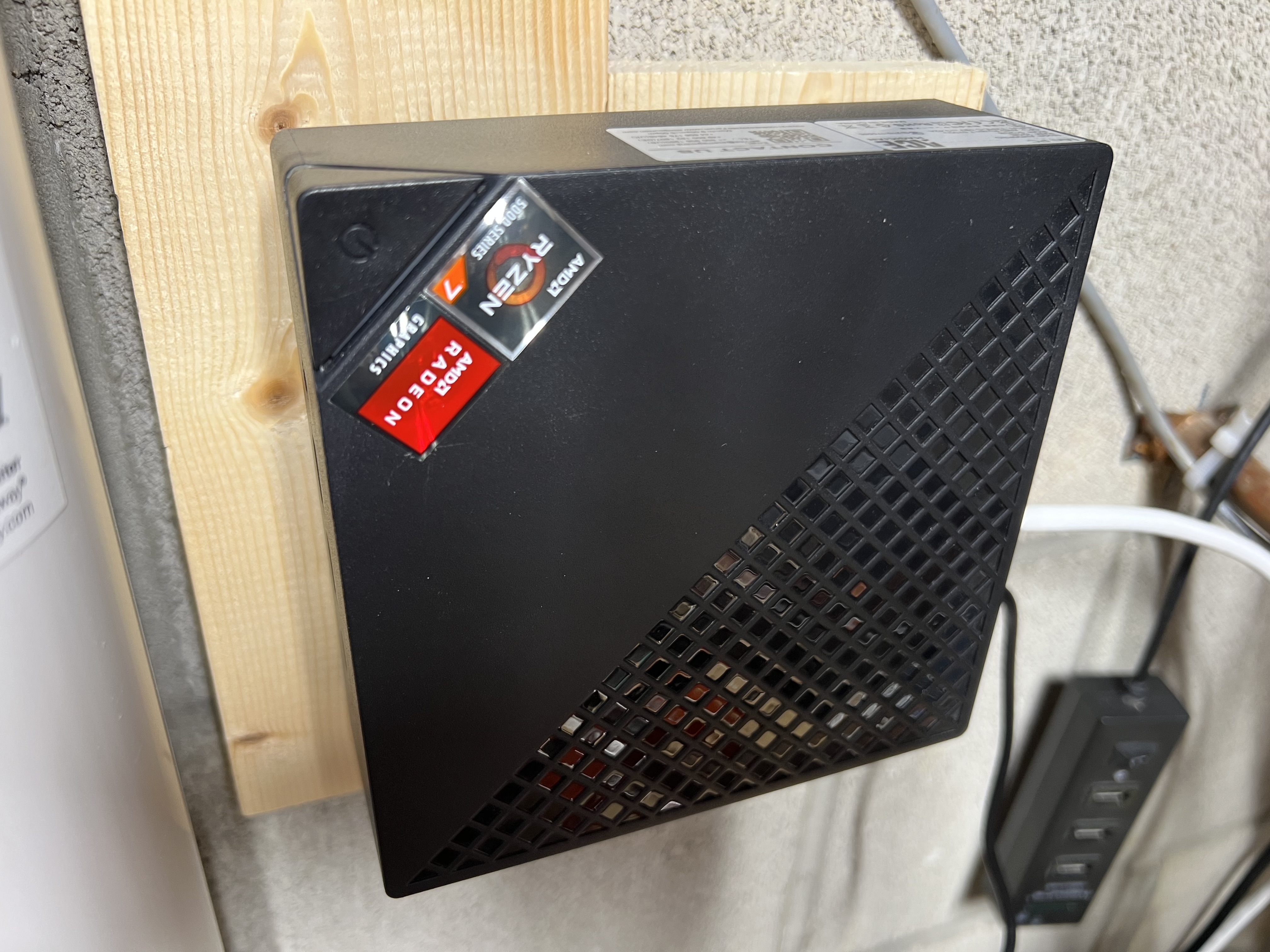
That mini-PC has been staring at me from the back of the workbench for months. I kept having to move it to clear space or simply clean the workbench — slide it off to the side, lift it up and around cables — and at some point I started resenting it for taking up real estate. One day I finally decided: rather than putting it in a box and declaring it a failed experiment, I was going to wall-mount it next to the bench and actually get it running for real.
I’d bought it two years earlier specifically for a homelab — the ACEMAGICIAN Kron Mini K1, Ryzen 7 7730U, 32 GB of RAM, enough headroom to run real workloads. When it arrived I unboxed it, loaded Proxmox VE, created a few VMs to kick the tires… and turned it off. Then I let it collect dust for two years.
What finally pushed me over the edge
Two things hit critical mass at the same time.
First, my home network. I’m still running a first-generation Google Wifi mesh system from around 2018. It works… most of the time. My biggest problem isn’t uptime — it’s that I can’t configure and control it to the degree I want. No VLANs. No per-port visibility. No way to properly isolate IoT devices from trusted machines. It’s consumer hardware that’s stopped receiving updates, and I’ve clearly outgrown it.
Second, local LLMs. I’ve been running Ollama on my Ubuntu desktop, which has an RTX 3060 with 12 GB of VRAM — enough comfortable headroom for 7B to 13B parameter models. I wanted to expose that inference capability across my network: other machines on the local network, maybe a Pi project someday. I could have just forwarded a port off the desktop and called it done, but that felt fragile and amateur. I wanted a proper LLM proxy layer in front of it — something like LiteLLM that could handle key management, route requests to different models, and let me mix local and cloud models behind a single endpoint. That kind of workload felt like it belonged on a real server, not an inference machine that doubles as a development workstation.
So the mini-PC was coming off the shelf.
k3s or Docker?
Rather than picking up whatever I’d left in those test VMs two years ago, I wiped the machine and installed a fresh copy of Proxmox VE. The ISO download → Etcher USB flash → installation wizard took about as long as it takes to brew my favorite coffee. That was the easy part. Now I had real decisions to make.
My first instinct was k3s — a lightweight Kubernetes distribution that’s commonly used by the “elite homelabbers”. I’m already familiar with Kubernetes from work, so it seemed like a good fit. But I kept coming back to conversations with coworkers who’d run k3s in their homelabs and eventually reversed the decision. Their reasoning was consistent: Kubernetes earns its overhead when you have multiple nodes and real distributed concerns. On a single machine, you’re managing a control plane and wading through layers of abstraction that don’t actually buy you anything. It’s just weight.
One of my driving principles for this whole project was keep it as light and simple as possible. A single-node “cluster” with Kubernetes overhead felt like a contradiction of that principle from day one.
So: Docker Compose, running inside a dedicated Ubuntu VM on Proxmox. One VM for the container stack. A separate lightweight LXC container for network infrastructure pieces. Clean separation, minimal overhead, simple enough to iterate on quickly.
Staying light — and knowing when not to
The k3s decision was the clearest example of a principle I kept coming back to throughout this whole build: don’t add a thing unless it brings real, tangible value.
I could have set up a full GitOps toolchain — Flux, ArgoCD, Terraform, Ansible. Powerful tools. But a handful of simple deploy.sh bash scripts gets me the same basic workflow — single source of truth in the repo, push changes from my machine, rebuild from scratch if I have to — without adding a layer I’d have to learn, maintain, and debug when it misbehaves at 11pm. It’s a GitOps-like workflow without the full GitOps overhead. Good enough is actually good.
The question I keep asking: what’s the actual value this adds? Not “is this a best practice?” Not “is this what a serious homelab would use?” Just: does it solve a real problem I have right now?
That said, staying light doesn’t mean staying cheap on everything. There are places where I deliberately chose the more capable option. Setting up my own internal DNS subdomain with real Let’s Encrypt certificates — *.lab.elklabs.net — wasn’t strictly necessary. I could have accessed everything by IP address. But real hostnames and proper TLS across all the services has made the whole thing feel coherent rather than a list of IP addresses in an SSH config file or relying on the finicky mDNS protocol. Since my domain was already on Cloudflare and they have solid tooling for wildcard certs via DNS challenge, the actual complexity cost was low. The payoff was real. That passes the test.
The signal that it’s time for a more capable tool is usually three things showing up together: a second physical machine to manage, “what deploys to where” becoming something I have to actually think about, and deployments starting to feel like a chore instead of a quick script run. When all three show up together, it’ll be time to mature the process and reach for a more sophisticated tool. Until then, the bash scripts work fine and I’m not going to add complexity to fix a problem I don’t have yet.
The monorepo
I set up a private GitHub monorepo to track the whole thing. After a few iterations I landed on a structure that’s been working well.
The heart of it is a flat systems/ directory. Every piece of running infrastructure — physical machines, VMs, Docker containers, network appliances — lives here as its own named subdirectory at the same level:
systems/
├── homelab-server/    # ACEMAGICIAN K1 mini PC running Proxmox VE
├── docker-host/       # Ubuntu VM on Proxmox; runs all containers
├── dev-workstation/   # Custom desktop — LLM inference + daily Linux machine
├── traefik/           # Reverse proxy with wildcard TLS
├── litellm/           # LLM gateway routing to local models + cloud
├── ollama/            # Local model runtime (LLaMA, Qwen, etc.)
├── open-webui/        # Chat UI backed by LiteLLM
├── adguard-home/      # Internal DNS
├── monitoring/        # Prometheus + Grafana + cAdvisor + node_exporter
├── n8n/               # Workflow automation and alert relay
├── uptime-kuma/       # Endpoint uptime monitoring
├── ntfy/              # Push notification server
├── mosquitto/         # MQTT broker for Pi and Arduino projects
├── tailscale/         # Mesh VPN for remote access
├── net-gateway/       # Lightweight LXC for Tailscale subnet routing
├── network/           # Home network gear
├── telephony/         # Grandstream ATA + two analog handsets
└── backups/           # VM snapshot + volume backup orchestration
Why flat?
The natural instinct is to nest things: put VMs inside their hypervisor’s directory, group containers under their host. I thought about it and rejected it.
The problem with nested hierarchies in a living repo is that they encode relationships that change. If docker-host lives inside homelab-server/, every file path bakes in the assumption that it runs on homelab-server. The day I migrate that VM to a different machine, every link is stale. The structure was making a claim about the present tense that I’d have to keep correcting.
The flat list makes no claim about what runs on what. It just says: these things exist. Relationships between systems live in the documentation — Host: and Workloads: lines in each system’s README. Prose that can be updated in one place without restructuring the filesystem.
At 18 systems, the flat list is also just easy to scan. I always know something lives at systems/<name>/ and I never have to remember where in a subtree it is.
Naming systems
There’s one naming decision I found surprisingly interesting to work through. Role-driven names hold up better over time: homelab-server instead of proxmox-mini (which would have encoded both the software and the form factor), dev-workstation instead of something tied to a current project. If I swapped the hardware tomorrow and kept it doing the same job, the name would still fit.
The exception is when a name is load-bearing in other systems’ config files. The service name ollama appears as a hostname in LiteLLM’s configuration: api_base: http://ollama:11434. Renaming it to local-inference would break LiteLLM’s config. When a name is embedded in the interfaces between systems, the tool name is the identity — and changing it has a real cost. That distinction shapes how I name new systems before they get woven into the stack.
What each system directory contains
Every system directory follows the same layout. A thin README.md for orientation — status (Planned / Building / Operational / Degraded / Retired), what the system is, where to dig deeper. A notes.md lab notebook with date-headed entries, newest on top — where I think out loud in real time. A decisions.md for minor choices that didn’t warrant a full Architecture Decision Record. An adr/ directory for decisions worth the full treatment.
The file I end up reading most is notes.md. When I come back to a system after a few months and wonder why something is configured a certain way, the reasoning is usually there, written in context at the time. Same goes for a plan.md that gets renamed to build-log.md once work is done — the checked-off checklist stays intact as a record of the exact steps that were taken, not just the end state.
Deployment
Each system has a deploy.sh that I can run from my development machine to push config changes to the target. Is it as robust as a full enterprise solution? Absolutely not. But it keeps the same basic principle: single source of truth in the repo, push from one place, and in the worst case I can rebuild from scratch. It’s gotten me to a stable, functional stack without adding operational overhead I’d have to manage constantly.
Claude Code’s role
Two files in the monorepo exist specifically for Claude Code: a root CLAUDE.md and a .claude/rules/homelab-conventions.md. Together they’re a persistent instruction set for an AI collaborator — naming conventions, file purposes, commit format, the whole structure.
In practice this means I can describe new hardware I’m setting up and ask Claude to scaffold the system directory. It produces the right files with the right content in each file, nothing duplicated, correct structure. Or I can say a plan is done and it walks through the right steps: rename plan.md to build-log.md, update the README link, extract operational content to runbook.md, write the commit message. The repo functions as shared memory across sessions in a way that a wiki or shared doc never quite managed.
What’s actually running
After a handful of late-night sessions once the kids went to bed, here’s where I landed:
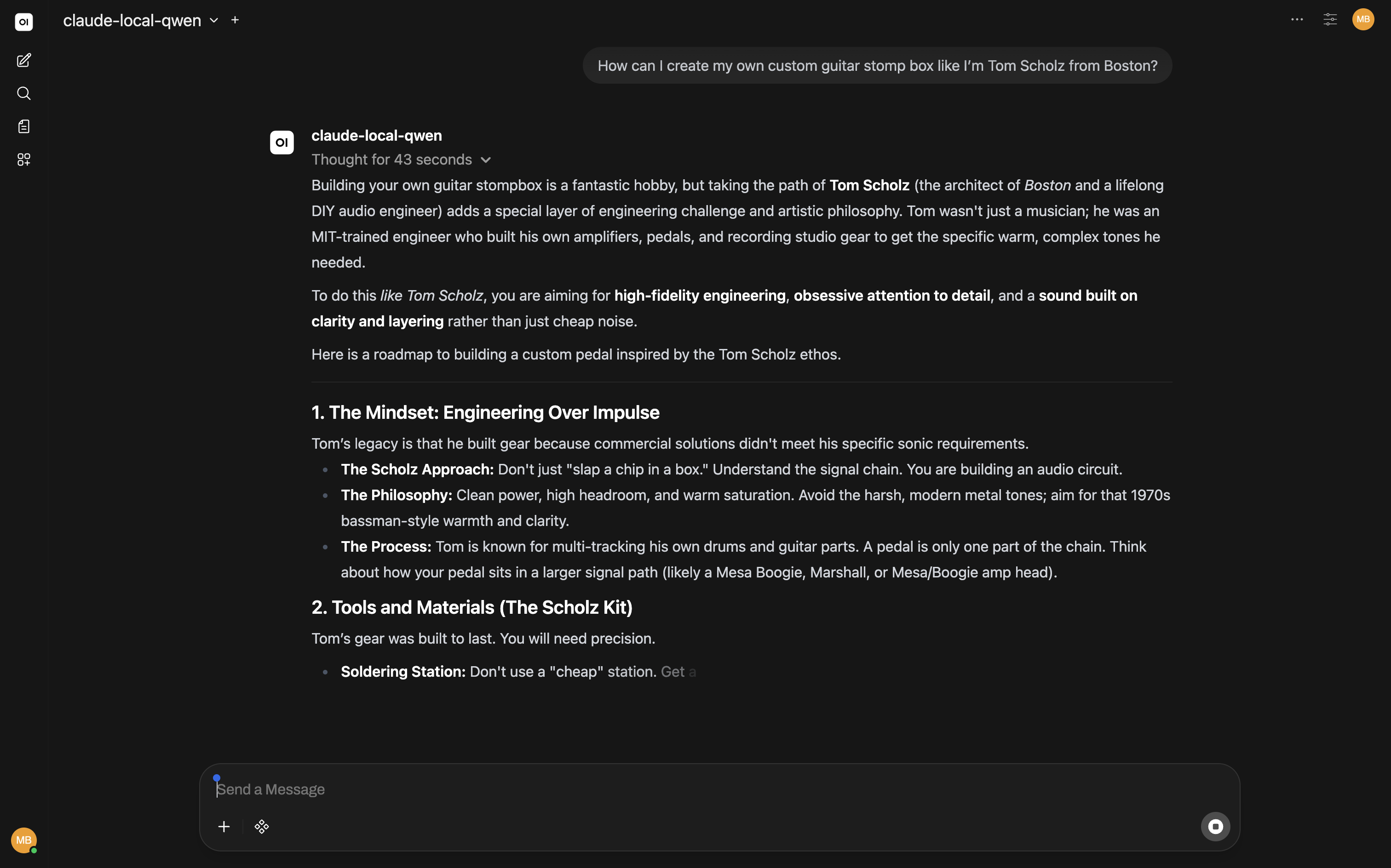
LLM stack: Ollama on my desktop handles local inference (RTX 3060, running 7B–13B models). LiteLLM sits in front as the gateway — key management, model routing, cloud fallback via the same endpoint. Open WebUI is the front end, accessible from any machine on the network or through Tailscale when I’m away. This was the whole reason the homelab came off the shelf — and it’s the part I actually use every day.
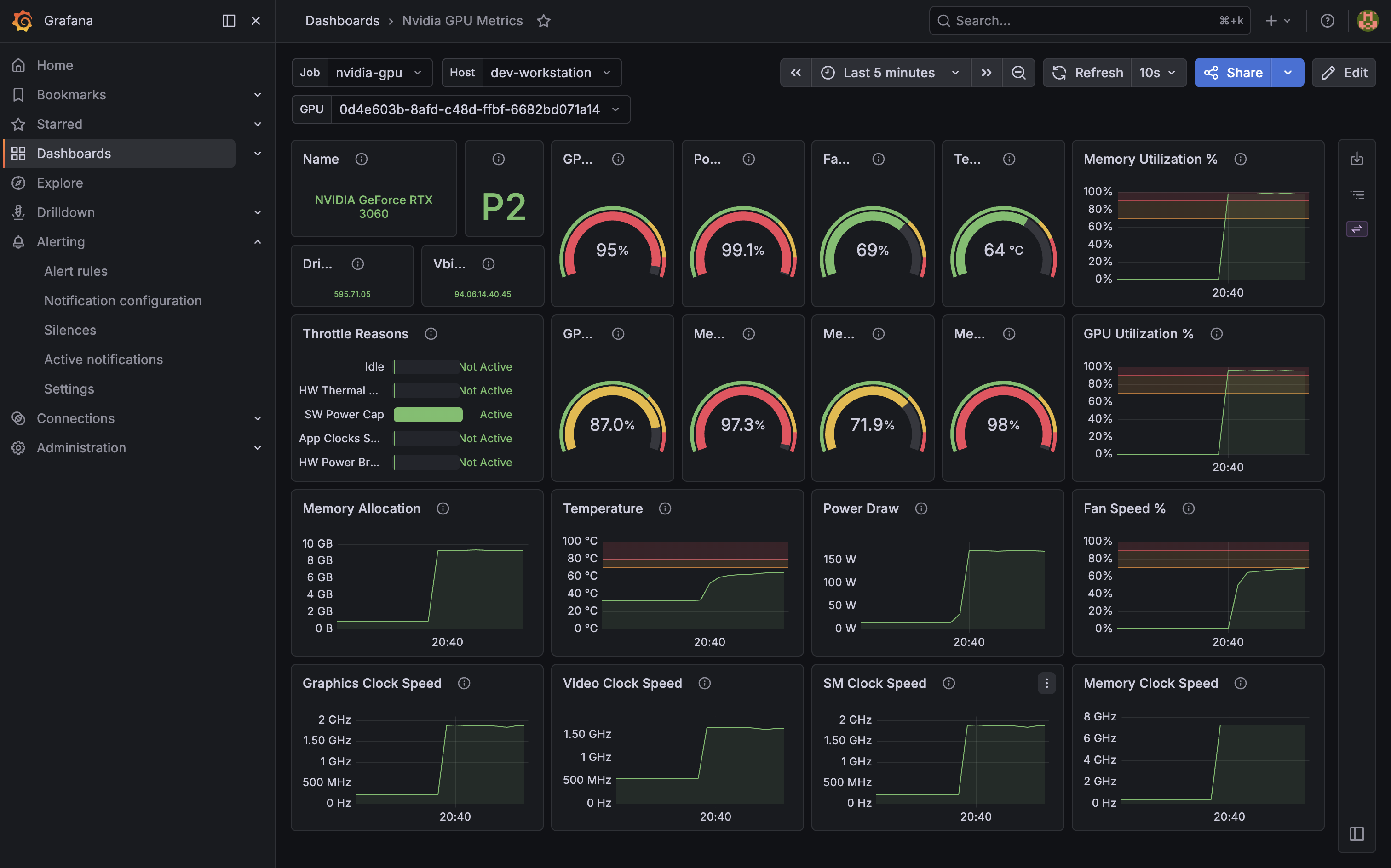
Observability: Prometheus + Grafana + cAdvisor + node_exporter. A dashboard showing what every container is doing — CPU, memory, network, uptime. n8n handles workflow automation and routes alerts to ntfy, which sends push notifications to my phone. The moment it clicked was adding nvidia_gpu_exporter to the dev-workstation. I kicked off a Qwen session in Open WebUI and watched everything spike to nearly 100% utilization — then heard the fan spin up to match a few seconds later. Once the chat was done, everything settled back down. Seeing the power draw climb — along with my electric bill 💸 — and fall with every query is the kind of thing that’s useful and also just fun to watch.
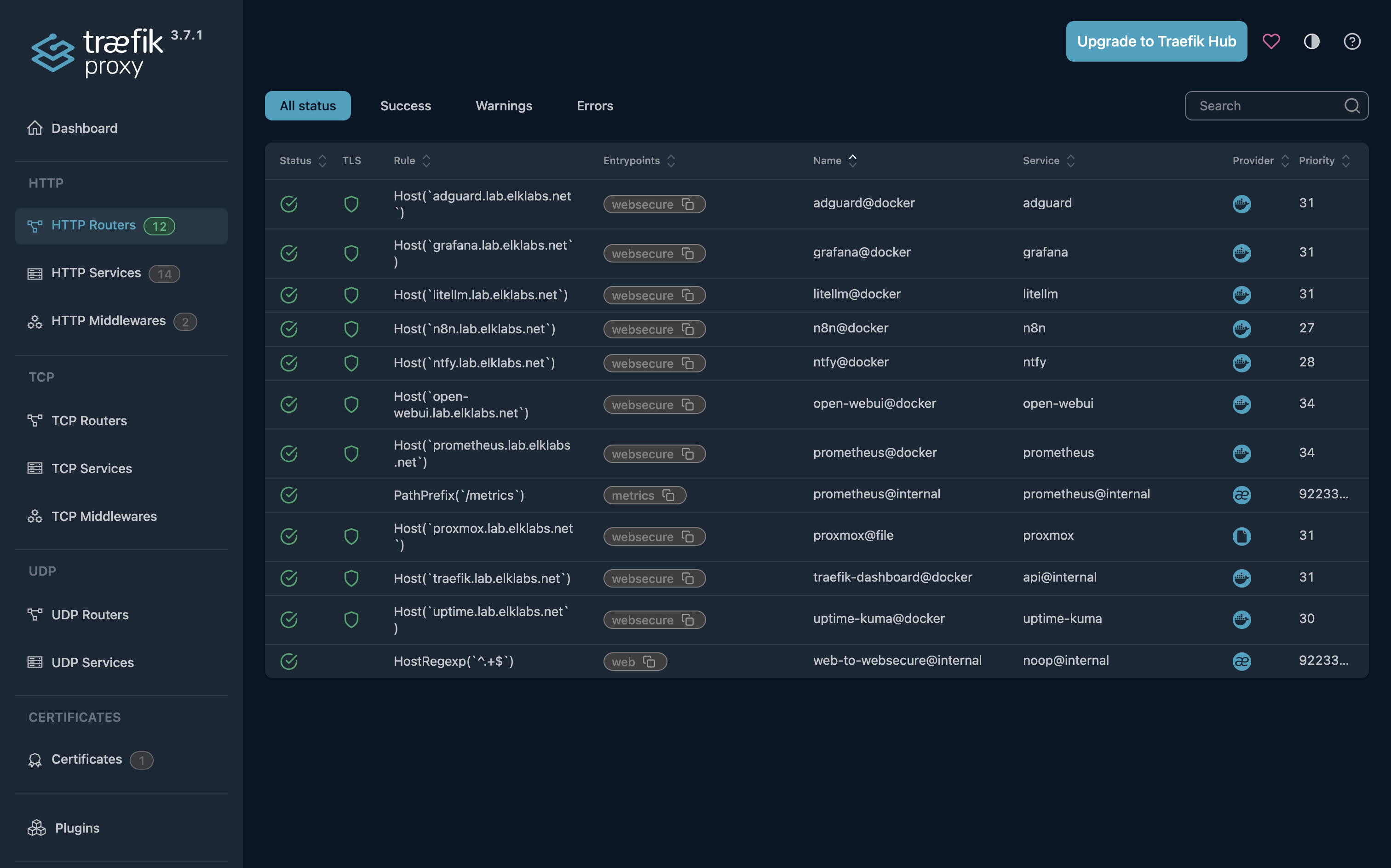
Infrastructure: Traefik as the reverse proxy with wildcard TLS on my lab.elklabs.net subdomain. AdGuard Home for internal DNS. Tailscale via the net-gateway LXC for remote access — nothing is exposed to the public internet, everything is reachable from outside the house through Tailscale. Once every service had a real hostname and a padlock in the browser, the whole thing started feeling less like a project and more like infrastructure.
IoT plumbing: Mosquitto MQTT broker, ready for Pi and Arduino projects. The next time I build something with an Arduino, I want to try publishing sensor data to it over MQTT.
Backups: the last piece
I saved backups for last on purpose. Partially because it felt logical to wait until most of what I wanted was in place before worrying about protecting it. But honestly, I also just didn’t know where I was going to store them.
Most homelabbers have some sort of NAS running, but I’m not there yet — even though I really want to be. The mini-PC only has a single NVMe drive, so backing up to that same drive would defeat most of the purpose. Sure, I’d be covered if a VM went haywire or a container got corrupted. But if the drive itself failed, I’d be completely out of luck.
Then I remembered: I had a Samsung 860 EVO 250 GB sitting around from an old build, and the mini-PC had a second bay with an open SATA connection. Perfect. I didn’t need to go as far as a completely separate machine or off-site cold storage — that felt like overkill for where I am right now. A separate physical drive felt like the right middle ground.
I plugged it in, fired the homelab back up, and… something was very wrong. Proxmox started, but nothing was loading, I was being assigned the wrong IP from my router, and the Docker host wouldn’t even come up. I knew the Google Wifi was flaky, but wrong IPs from DHCP felt like something else was going on. I pulled up a terminal and ran lsblk to check the disk situation. Both drives showed up. Ran a few more diagnostic commands, nothing obvious. Fell back on old reliable: turn it off and back on again. Same problem.
Something was nagging me about that lsblk output, so I ran it again and looked more carefully. There it was. 🤦♂️ The old SSD had its own full Proxmox installation on it — complete with a boot partition — from whatever machine it had lived in before. When I plugged it in, the boot order decided to use that drive to start up. I’d been booting into the wrong Proxmox the whole time.
Once I nuked the old partition table and rebooted, everything came up cleanly. I finished configuring the second drive as ZFS storage and set up the backup jobs. VMs now back up to a physically separate drive on a schedule. Not perfect — a house fire takes both drives — but it’s a real step up from a single point of failure, without the complexity of building out a full NAS before I’m ready for it.
What’s next
The one system in the lab I’ve genuinely outgrown is network. First-gen Google Wifi from 2018, all unmanaged switches, no VLAN capability, and every power event brings down everything including the VoIP line. I’ve been leaning toward a full Ubiquiti setup built around the Dream Machine SE — structured cabling to every room, proper VLAN segmentation to isolate IoT and guest devices, a UPS strategy for the critical path. But I’m still evaluating options like running OPNsense on a dedicated appliance. Once that lands, a few things on the homelab side will need updating — deprecating AdGuard Home, for instance — and the current structure should make those changes pretty clean.
After the network: a dedicated NAS for personal cloud storage. And eventually a proper LLM machine with a GPU that makes the RTX 3060 look like a warm-up act. I’ll start a gofundme.
Raw markdown for LLMs: /posts/elk-homelab.md · full index